A first step · Enfoca
From a full mind
to a first step.
Speak or type what’s on your mind. Enfoca turns it into tasks with a first step; you choose which to do and in what order, then begin with a single timer.
For iPhone · iOS 26.1 or later · English and Spanish
Launch in preparation. The App Store link lets you check availability; we are not yet announcing a public release.
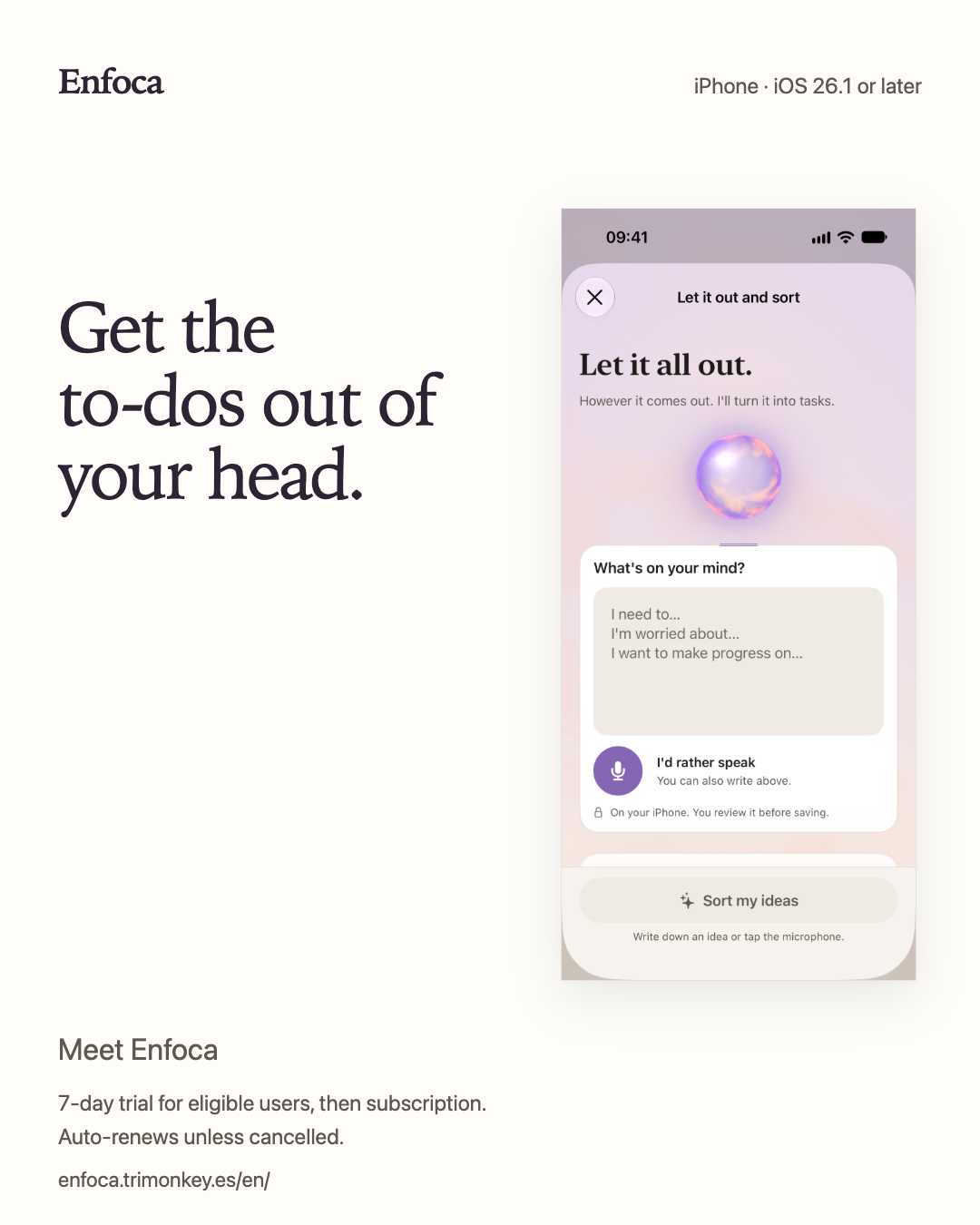
Let it out.
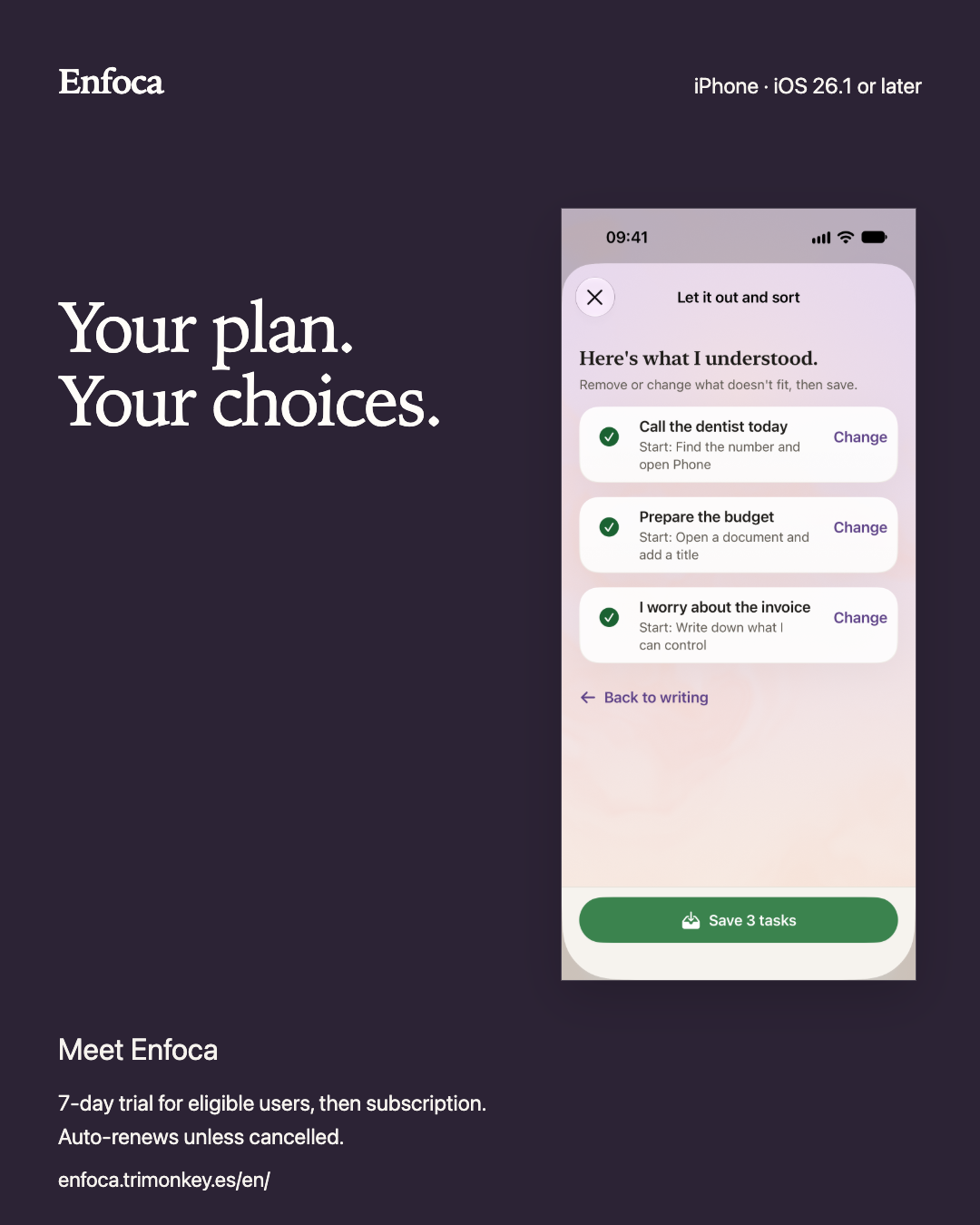
You can start before everything is organised. Tap ‘Empty your head’ and let out ideas and to-dos by voice or text. Enfoca turns them into tasks with a small first step; you remove or change what doesn’t fit before saving.
Choose a step.
Tap the tasks you want to do in your list, with no limit. A number shows the order, and you can drag to change it in ‘Work order’. Everything else waits in the list.
Move at your pace.
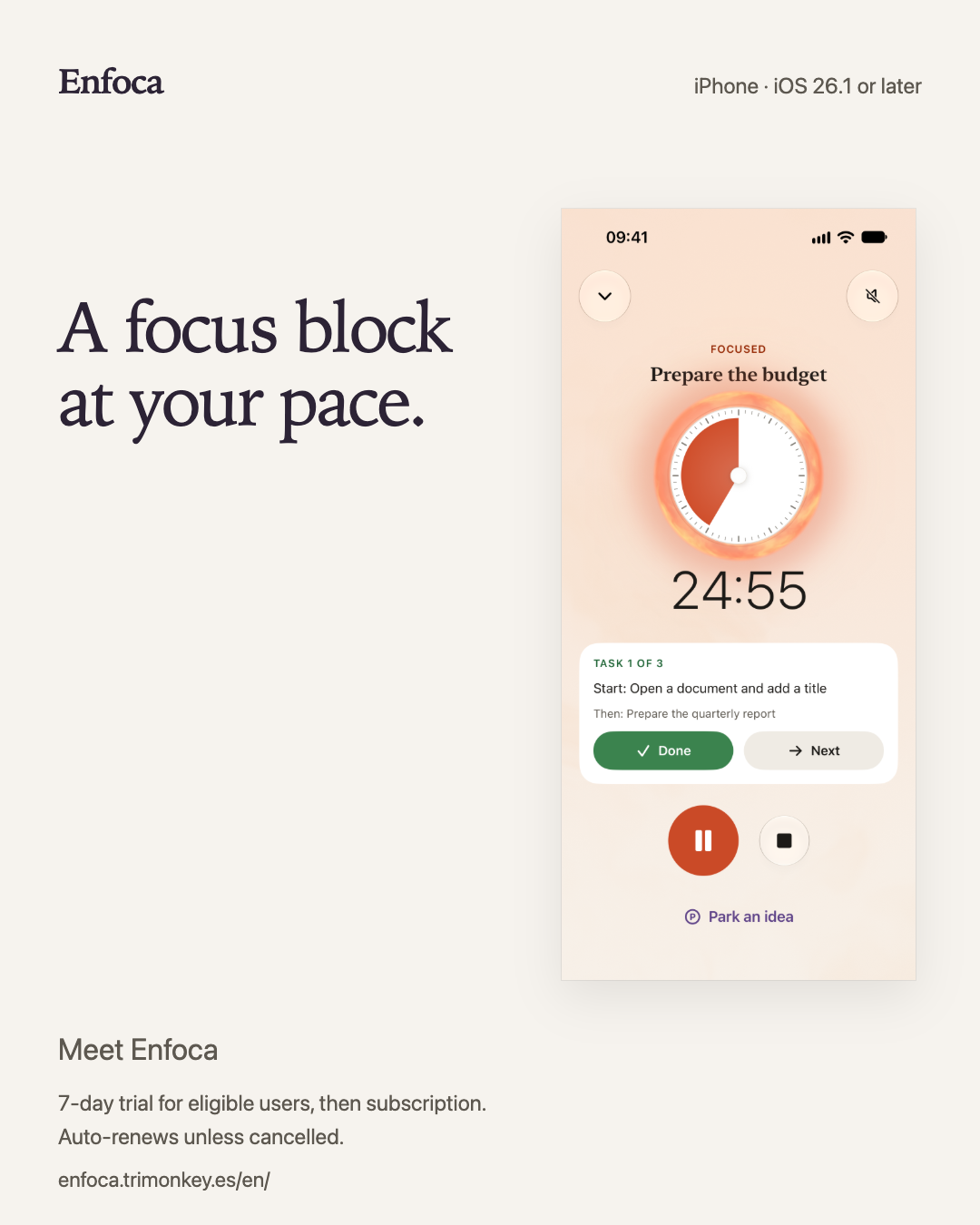
Choose your pace, 5 to 120 minutes of work and 1 to 30 minutes of break, and press ‘Start’. A single timer works through your tasks: ‘Done’ or ‘Next’ moves on without resetting the clock, and breaks start automatically.
Dots represent your tasks and the bar follows the current cycle. You can turn either off in Settings.
Tools with evidence in context.
For a smaller start, a clearer head or a pause: small steps, getting unstuck, breathing, If… then plans and WOOP. Each tool shows the evidence behind it.
Research concerns the techniques. Enfoca and its automated planning have no clinical trial of their own. The app does not diagnose or treat, or replace professional care.
Your plan. Your choices.
Your tasks stay on your iPhone. You decide whether to share text, let Enfoca read Calendar and Reminders, and enable Screen Time blocking. Enfoca does not write to Calendar or Reminders.
Apple Intelligence suggestions depend on device, language and configuration. There is also a local alternative without the model.
Read about privacy, including technical data and voluntary reports
All tools are included.
Both plans offer a 7-day trial for eligible subscribers, followed by a paid subscription. Your App Store shows the price and billing period before purchase.
Auto-renews unless cancelled. One trial per subscription group. Manage or cancel through your Apple account.