
Monthly
€6.99/ month
€6.99 billed each month.
Launch in preparation
When everything piles up, getting started can feel heavy. Let out what’s on your mind, choose what to do and begin with a small step.
Tools for ADHD and procrastination.
Launch in preparation. The App Store link lets you check availability; we are not yet announcing a public release.
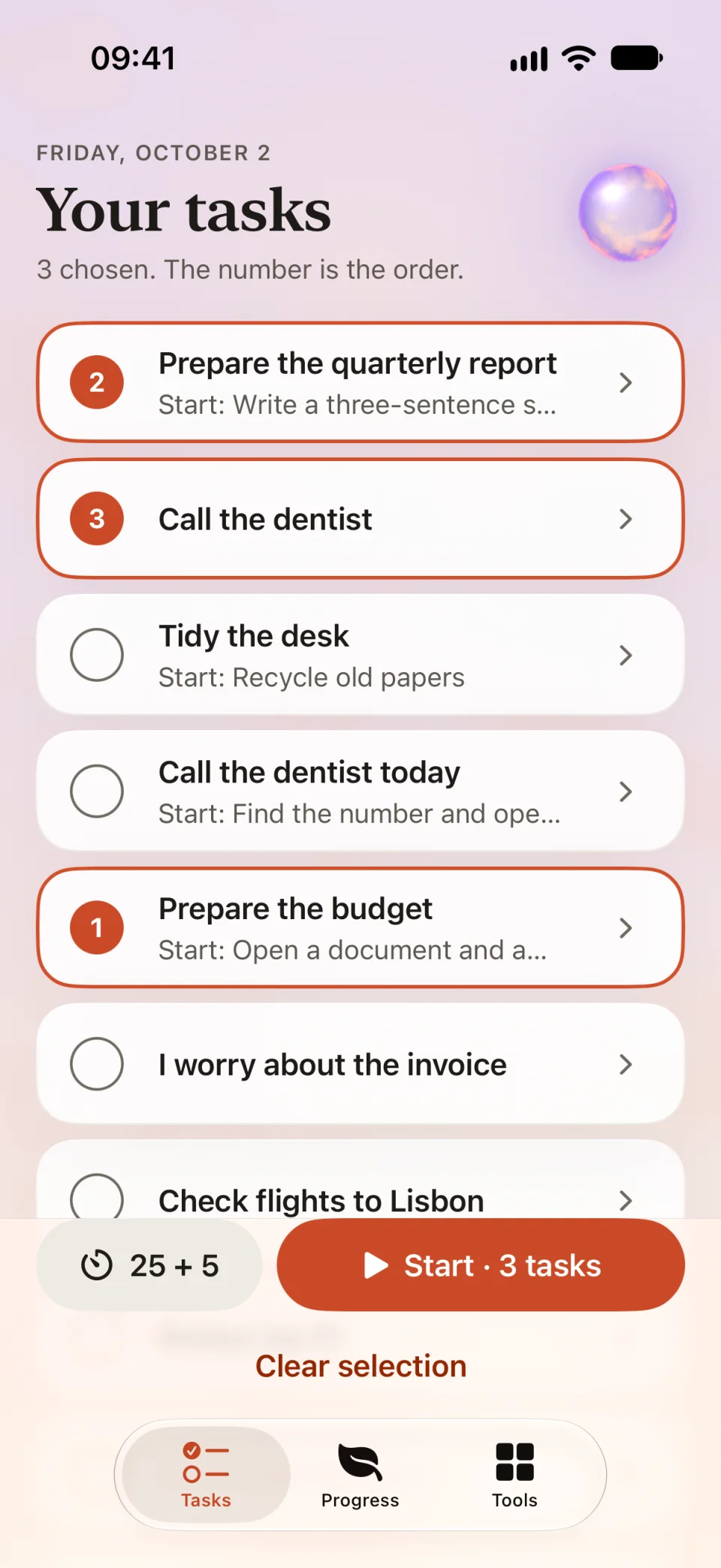
Speak or write without sorting first.
Remove or change what doesn’t fit before saving.
One timer, several tasks and breaks.
A task, a worry, an idea that keeps coming back. Enfoca helps you get them out of your head, turn them into tasks with a first step and choose where to begin. The rest waits in your list.
A look inside Enfoca
A walkthrough of the actual app in four screens. Choose one to explore each step.
Tap ‘Empty your head’ and speak in English or Spanish, or write. Transcription runs on your iPhone; the audio is not saved.
Dictation depends on Apple’s language availability and speech resources.
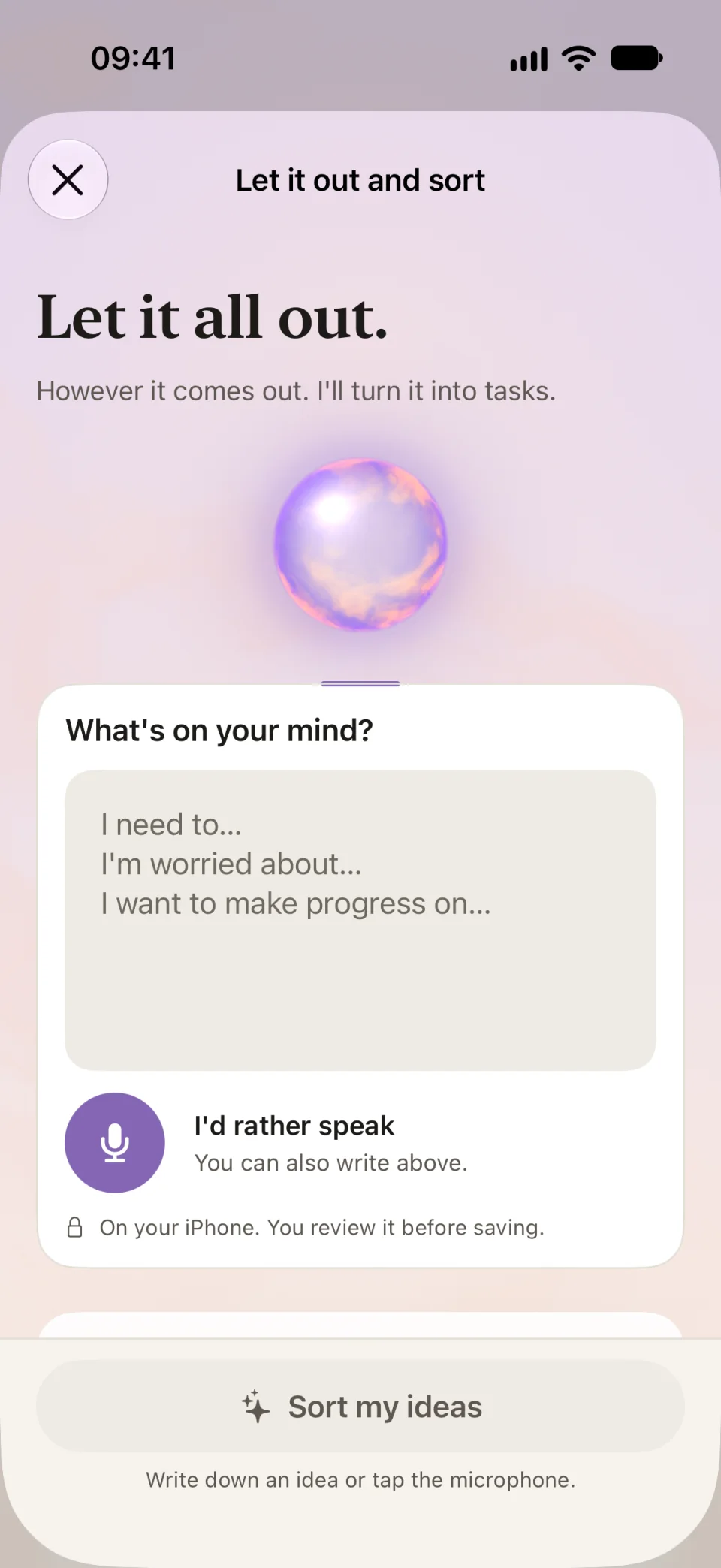
Enfoca turns what you let out into tasks, each with a small first step. You decide what stays.
Apple Intelligence helps when available; a local alternative lets you continue without the model. Nothing is saved until you decide.
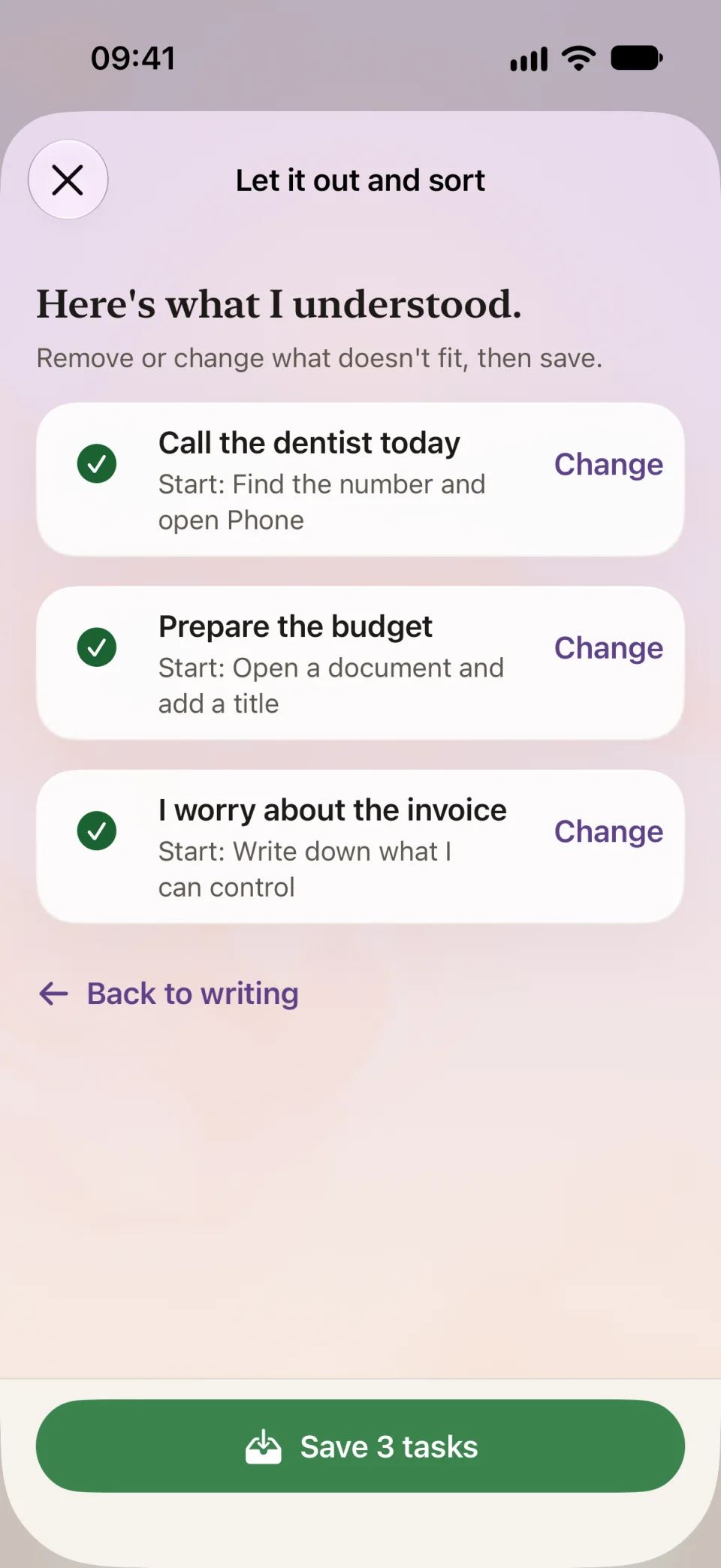
All your to-dos live in one list. Tap the ones you want to do, with no limit; a number shows the order.
Before you start, choose the pace: 5 to 120 minutes of work and 1 to 30 minutes of break, with 15+5, 25+5 and 50+10 shortcuts.
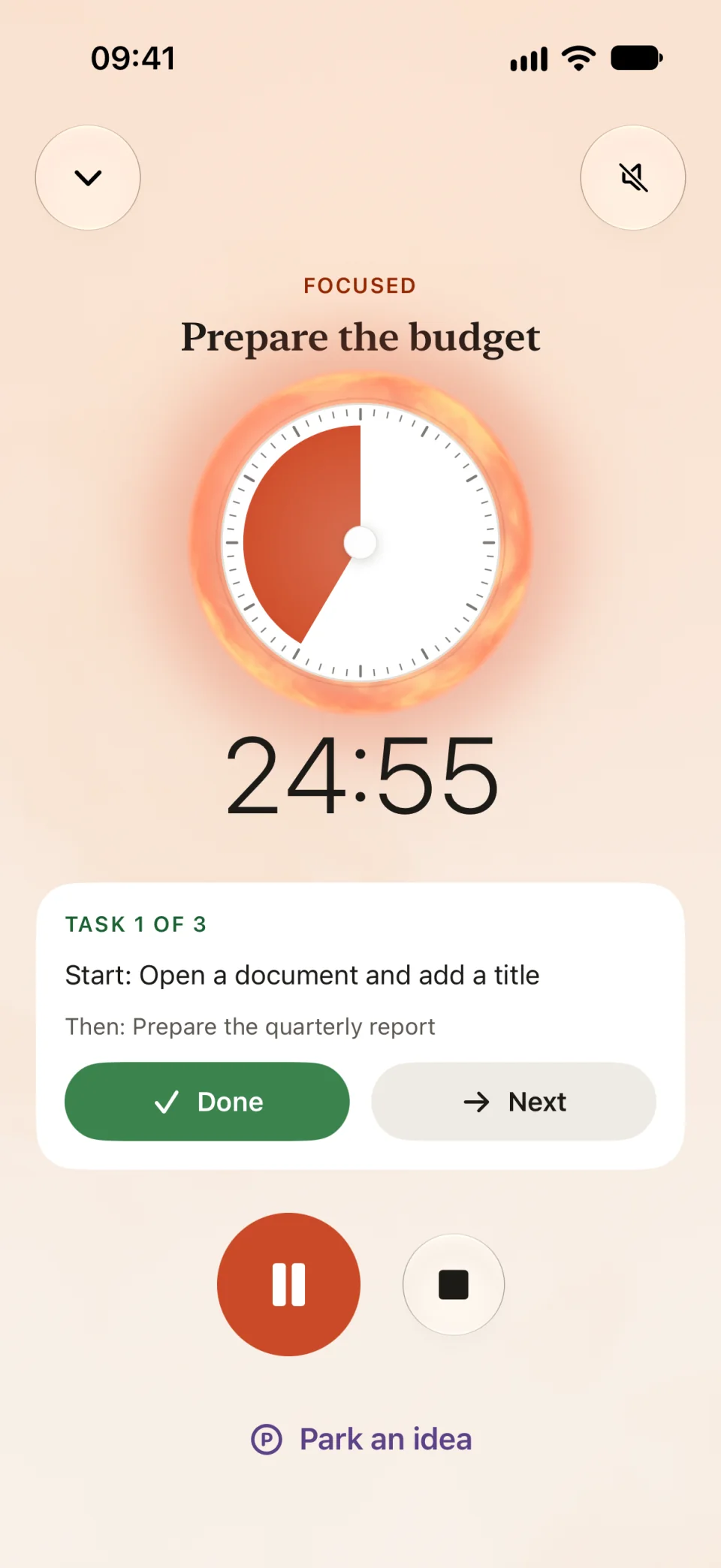
‘Start · N tasks’ runs a single timer that works through your tasks in that order. You see the first step of the current task and what comes next.
Finishing is your decision; the timer does not mark a task as done for you.
A day that adapts to you
You don’t have to start a new timer whenever you switch tasks, or hit a set number of tasks.
Choose as many as you like for this session. You set the order and can change it at any time.
5 to 120 minutes of work and 1 to 30 minutes of break. Or a shortcut: 15+5, 25+5 or 50+10.
Select the apps you want to block during focus with Screen Time. It is optional and needs your permission.
Organize tasks between IDEAS, TO DO, DOING and DONE. The list and board share the same projects and tasks.
Add tasks from the board and reorder them with the list handle. The session timer keeps running.
Your kit, without the noise
Open Tools from Home for when you feel stuck, need to organise something or could use a pause. Choose one; you don’t need to use them all.
Make time visible and work in blocks.
Find a smaller place to begin.
Break a task into concrete actions.
Get everything pending out of your head.
Prepare a response to an obstacle.
Take a pause with guided breathing.
Compare your estimate with the time it takes.
Each tool explains its sources and limitations. The levels refer to the underlying techniques, not a clinical trial of Enfoca: neither the app nor its automatic organisation has its own trial. Brown noise has no specific supporting evidence. Enfoca does not diagnose or replace professional care.
Your space, on your iPhone
Tasks and transcripts are handled locally. Calendar and Reminders are only read, with your permission; Enfoca does not write to them.
The complete suite
At launch, access to the complete suite with a monthly or annual subscription. A 7-day free trial for eligible subscribers.
7-day trial · if you’re eligible
€6.99/ month
€6.99 billed each month.
€44.99/ year
€44.99 billed once a year.
Planned launch prices for the Spanish App Store. After the trial, your chosen plan is charged and renews automatically unless cancelled. Apple shows the price, available offer and eligibility before confirmation. Manage or cancel your subscription through your Apple account. Trial and terms.
Take your time
The App Store launch is in preparation. ‘Check availability’ links to Apple’s listing so you can see its status; we are not yet announcing that the app is publicly available.
As many as you choose. A number shows the order, and you can change it in ‘Work order’. One timer works through them; ‘Done’ or ‘Next’ moves on without resetting it.
No. Without the model, a local alternative turns what you write or dictate into tasks you can review and adjust yourself. Model suggestions require a compatible iPhone, Apple Intelligence enabled and model availability in English or Spanish.
Enfoca requires iOS 26.1 or later and is designed for iPhone. Local voice and Apple Intelligence have their own device, language and downloaded resource requirements.
For email, it receives only the text you share or paste; it does not access your inbox. With your permission, it checks Calendar to take your appointments into account and imports Reminders when you empty your head. It writes to neither.
At launch, eligible subscribers get 7 days with the complete suite. Your chosen monthly or annual subscription then continues unless cancelled. Apple displays the offer and its terms before you confirm.
Enfoca brings together organisation and focus tools based on studied techniques. It does not diagnose, guarantee outcomes or replace professional care. The app has no clinical trial of its own.
One step at a time
For iPhone. Launch in preparation.